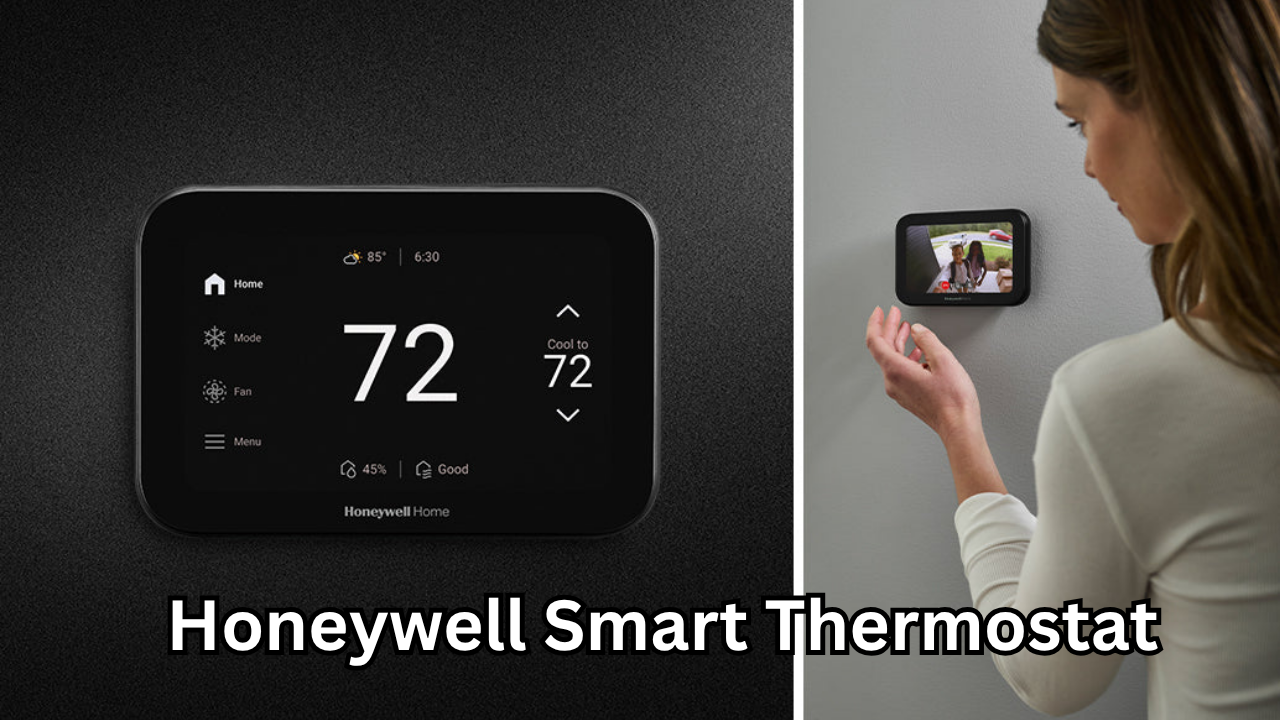
Introduction to Honeywell Smart Thermostat
A Honeywell smart thermostat is designed to bring intelligence, efficiency, and convenience to your home’s heating and cooling system. With modern homes becoming increasingly connected, smart thermostats have emerged as essential devices for homeowners who want better comfort, lower energy bills, and remote control capabilities. Honeywell, a trusted brand in home technology, offers smart thermostats that combine reliable performance with user-friendly features.
Unlike traditional thermostats, a Honeywell smart thermostat learns your schedule, adapts to your preferences, and allows you to control temperature settings from your smartphone or tablet. Whether you are at home, at work, or traveling, you can easily manage your indoor climate with just a few taps. This level of control not only improves comfort but also helps reduce unnecessary energy consumption.
Why Choose a Honeywell Smart Thermostat
There are several reasons why homeowners prefer a Honeywell smart thermostat over conventional temperature control systems. First, Honeywell has decades of experience in HVAC technology, which means their products are engineered for reliability. Second, these thermostats are designed to be compatible with a wide range of heating and cooling systems, making installation easier.
Another key reason is energy efficiency. Smart thermostats automatically adjust temperatures based on occupancy, weather conditions, and usage patterns. This helps avoid heating or cooling an empty house. Over time, this optimization leads to noticeable savings on electricity and utility bills.
Additionally, Honeywell smart thermostats are known for their intuitive interface. Even users who are new to smart home technology can easily navigate the settings and customize temperature schedules.
Key Features of Honeywell Smart Thermostat
Honeywell smart thermostats come packed with advanced features that enhance both comfort and efficiency. One of the most important features is Wi-Fi connectivity. This allows homeowners to control their thermostat remotely using a mobile app. Whether you forgot to turn off the AC before leaving home or want to warm up your house before arriving, remote access makes it possible.
Another major feature is learning capability. Some Honeywell smart thermostats learn your routine and automatically adjust temperatures. For example, if you usually lower the temperature at night, the thermostat remembers this pattern and applies it automatically.
Geofencing is another useful feature. It detects when you leave or return home using your smartphone location and adjusts the temperature accordingly. This ensures that energy is not wasted when no one is at home.
Voice control compatibility is also available in many Honeywell smart thermostat models. You can adjust settings using voice assistants, making temperature control even more convenient.
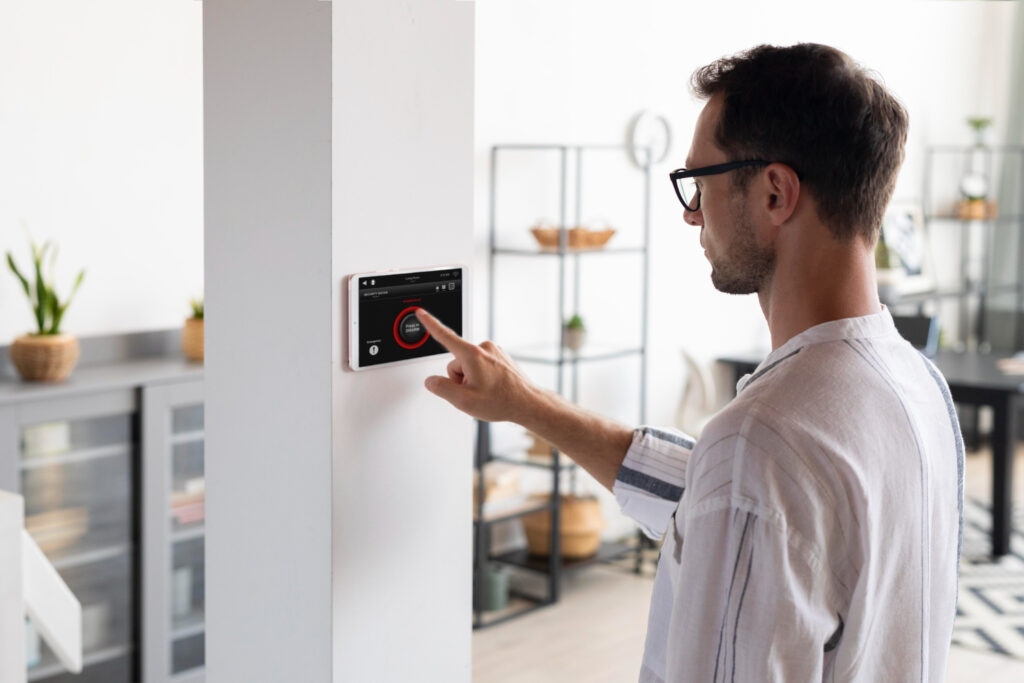
Benefits of Installing Honeywell Smart Thermostat
Installing a Honeywell smart thermostat offers numerous benefits for homeowners. One of the biggest advantages is improved energy efficiency. By optimizing temperature settings, these devices help reduce unnecessary heating and cooling. This not only lowers your utility bills but also reduces your environmental impact.
Another benefit is enhanced comfort. Traditional thermostats require manual adjustments, but a smart thermostat automatically maintains your preferred temperature. You can wake up to a warm home in winter or return to a cool house in summer without manual changes.
Convenience is also a major advantage. Remote access allows you to control your home’s climate from anywhere. If weather conditions change unexpectedly, you can adjust settings instantly.
Honeywell smart thermostats also provide usage reports. These insights show how much energy you are using and suggest ways to improve efficiency. This data-driven approach helps homeowners make smarter decisions.
How Honeywell Smart Thermostat Saves Energy
Energy savings are one of the main reasons people switch to a Honeywell smart thermostat. The device automatically adjusts temperature settings based on your daily schedule. For example, when you leave for work, it reduces heating or cooling to save energy.
Adaptive learning also plays a role in energy savings. The thermostat learns how long it takes to heat or cool your home and adjusts accordingly. This ensures your home reaches the desired temperature at the right time without running the system longer than necessary.
Another energy-saving feature is smart alerts. Honeywell smart thermostats can notify you if your system is running inefficiently or if maintenance is needed. Addressing these issues early prevents excessive energy consumption.
Installation Process of Honeywell Smart Thermostat
Installing a Honeywell smart thermostat is generally straightforward. Many homeowners choose DIY installation, especially if they are replacing an existing thermostat. The process usually involves turning off power, removing the old thermostat, connecting wires to the new unit, and mounting it on the wall.
Once installed, the next step is connecting the thermostat to your Wi-Fi network. After this, you can download the Honeywell mobile app and start customizing your settings.
Although DIY installation is possible, some homeowners prefer professional installation. This ensures compatibility with complex HVAC systems and guarantees proper configuration.
Compatibility with HVAC Systems
One of the strengths of a Honeywell smart thermostat is its wide compatibility. These thermostats work with most heating and cooling systems, including central air conditioning, heat pumps, furnaces, and multi-stage systems.
Before purchasing, it is important to check compatibility with your specific system. Some advanced HVAC setups may require additional wiring or adapters. However, Honeywell provides clear compatibility guides to help users choose the right model.
Remote Control and Mobile App Features
The Honeywell smart thermostat mobile app is designed for convenience. Through the app, users can adjust temperature, set schedules, and monitor energy usage. The app interface is clean and easy to navigate, making it suitable for all users.
You can also receive notifications through the app. For example, if indoor temperature rises above a set level, the app alerts you. This helps prevent discomfort and protects your home from extreme conditions.
Another useful feature is vacation mode. When traveling, you can set a temporary schedule to save energy while maintaining minimum comfort levels.
Honeywell Smart Thermostat vs Traditional Thermostat
Comparing a Honeywell smart thermostat with a traditional thermostat highlights significant differences. Traditional thermostats require manual adjustments and offer limited scheduling options. They do not learn user behavior or provide remote control.
In contrast, a Honeywell smart thermostat adapts automatically, offers remote access, and integrates with smart home systems. This results in better comfort and lower energy costs.
Another difference is data tracking. Smart thermostats provide detailed usage reports, while traditional thermostats do not offer insights into energy consumption.
Tips for Getting the Most Out of Honeywell Smart Thermostat
To maximize benefits, it is important to set up your Honeywell smart thermostat correctly. Start by creating a temperature schedule based on your daily routine. This ensures optimal efficiency.
Enable geofencing if available. This allows automatic adjustments when you leave or return home. Also, review energy reports regularly to identify opportunities for savings.
Keep your HVAC system well maintained. A smart thermostat performs best when the heating and cooling system is in good condition.
Finally, update the thermostat firmware whenever updates are available. This ensures access to the latest features and improvements.
Common Issues and Troubleshooting
While Honeywell smart thermostats are reliable, users may occasionally encounter issues. One common problem is Wi-Fi connectivity. If the thermostat disconnects, restarting the router usually resolves the issue.
Another issue is incorrect temperature readings. This may occur if the thermostat is installed near heat sources or direct sunlight. Relocating the device can fix the problem.
If the thermostat does not turn on, checking wiring connections and power supply is recommended. Proper installation usually prevents such issues.
Is Honeywell Smart Thermostat Worth It
A Honeywell smart thermostat is a worthwhile investment for homeowners who want better comfort and energy savings. The initial cost is often offset by reduced utility bills over time. Additionally, the convenience of remote control and automation adds value to everyday living.
Smart thermostats also increase home value. Many buyers prefer homes equipped with modern smart technology. This makes Honeywell smart thermostats a practical upgrade.
Conclusion
The Honeywell smart thermostat is an excellent solution for modern homes seeking smarter temperature control. With features like remote access, energy-saving automation, learning capabilities, and smart alerts, it offers both comfort and efficiency. Easy installation and broad compatibility make it suitable for most households.
By upgrading to a Honeywell smart thermostat, homeowners can enjoy improved comfort, reduced energy bills, and greater control over their indoor environment. As smart home technology continues to grow, investing in a reliable smart thermostat is a step toward a more efficient and connected home.
Also Read: 100 Amp Wire Size: Complete Guide for Safe and Efficient Electrical Installation



One thought on “Honeywell Smart Thermostat: The Complete Guide to Smarter Home Temperature Control”
Comments are closed.